…and secretly learn how to become a peak performer
Do you find yourself getting too much done? Are you plagued by the curse of completing tasks on time and moving up the ladder too fast? Fear not. Here are 10 foolproof ways to tank your productivity and coast through your days like a true professional procrastinator.
Spoiler alert: Do the opposite of each tip to unlock beast-mode productivity.
1. Start Your Day by Checking Social Media
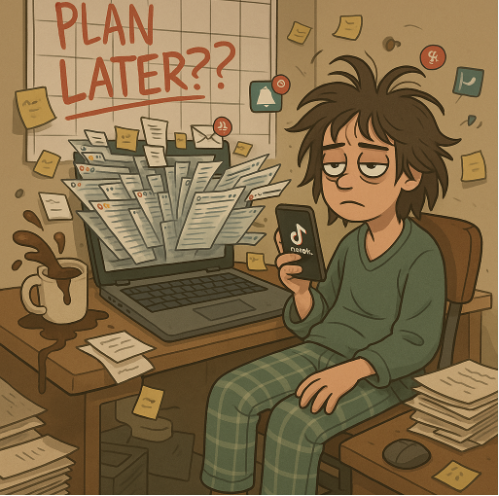
Who needs a focused morning routine when you can doomscroll through memes, reels, and political outrage before brushing your teeth?
Bonus: Let TikTok decide your mood for the next 3 hours.
2. Never Plan Your Day
Why waste time organizing when you can jump into the chaos headfirst?
Planning is for control freaks. Just respond to whatever screams the loudest and call it “being agile.”
Let your inbox, notifications, and random people decide your priorities.
3. Keep 27 Tabs Open at All Times
Clutter = control, right? Who cares if your laptop sounds like a jet engine and your brain can’t decide what to do?
Every tab is a metaphor for the tasks you’re not doing.
4. Multitask Like a Maniac
Write an email, edit a video, reply to Slack, and attend a Zoom call — simultaneously.
Because doing everything at once is the fastest way to do nothing well.
5. Say Yes to Every Request
Your boss wants a report, your colleague needs help debugging, your cat wants affection. Say yes to all.
Boundaries are for people who value their time.
Not you. You’re a team player… and also perpetually burnt out.
6. Never Use a To-Do List
Let your tasks swirl around in your head like a soup of forgotten goals.
Bonus points if you remember them just as you’re falling asleep.
7. Schedule Back-to-Back Meetings
Who needs actual work time when you can spend 8 hours a day saying, “Let’s circle back”?
Make sure none of these meetings have clear agendas. That’s the secret sauce.
8. Check Email Every 5 Minutes
Because you never know when someone might send you something mildly important.
Your inbox is your dopamine dispenser — ride the notification high into oblivion.
9. Never Take Breaks
Hydration and sunlight are myths.
Power through lunch with a bag of chips and a headache.
Your body will totally thank you in the long run (read: it won’t).
10. Wait for “Inspiration” to Strike
Why start now when your creative muse might arrive… eventually?
Deadlines are optional. Excellence waits.
Final Thoughts (Or Not…)
There you have it — 10 spectacularly awful ways to reduce your productivity.
If any of these hit close to home, congrats, you’re human.
The secret to doing more isn’t doing everything.
It’s doing less — intentionally.
Now go forth… and stop self-sabotaging.